
Technology
Discover the Ninja Food Processor Attachment: The Kitchen Game-Changer Transforming Home Cooking


In the bustling world of modern kitchens, where time is precious and versatility is everything, few accessories have made as significant an impact as the Ninja food processor attachment. Whether you’re a busy parent whipping up weeknight meals or a keen home cook experimenting with new recipes, this clever add-on promises to streamline food preparation like never before.
Ninja, the brand synonymous with powerful, innovative kitchen appliances, has built a reputation for delivering high-performance tools that punch well above their weight. The food processor attachment extends this ethos, turning compatible blenders into fully-fledged food processors. In this in-depth feature, we explore its design, capabilities, and why it continues to capture the attention of home cooks across the UK and beyond.
Origins and Background of the Ninja Food Processor Attachment
The story of the Ninja food processor attachment begins with SharkNinja, the parent company founded on a mission to revolutionise everyday household tasks. Ninja kitchen systems emerged in the early 2010s as multi-functional powerhouses, combining blending prowess with additional capabilities.
Early Ninja models focused primarily on smoothies and drinks, but consumer demand for more comprehensive food prep solutions led to the development of dedicated attachments. The food processor bowl and its accompanying blades and discs were designed as modular extensions, allowing users to expand their existing appliance’s functionality without purchasing an entirely new machine.
This modular approach reflected a broader industry shift towards sustainable, space-saving kitchen solutions. Rather than cluttering countertops with separate gadgets, the Ninja food processor attachment offered a smart, integrated alternative. Compatibility with popular models like the BN801 and similar kitchen systems quickly made it a favourite among UK households.
Design and Key Features
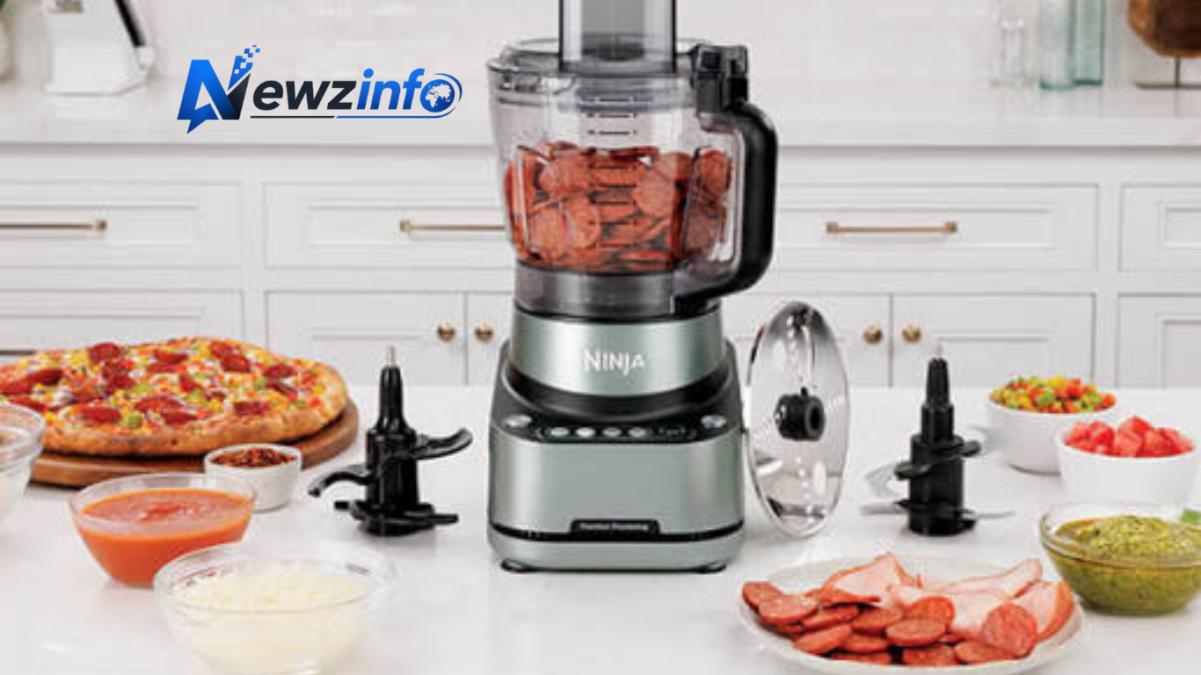
At its core, the Ninja food processor attachment typically includes a generous bowl (often around 2.1L or 64oz in larger systems), a range of stainless-steel blades, and specialised discs for slicing and shredding. Many versions feature a feed chute lid and pusher for safe, continuous processing of larger ingredients.
Power comes from the base motor of the compatible Ninja system, often delivering 850W to 1200W or more, providing ample torque for tough tasks. Auto-iQ technology is a standout element in many models, offering pre-programmed settings for chopping, pureeing, dough-making, and more. This intelligent automation takes the guesswork out of processing, delivering consistent results every time.
The reversible slicing and shredding discs are particularly praised. One side handles delicate slicing for vegetables or potatoes, while the other tackles shredding cheese, cabbage for coleslaw, or carrots for salads. A chopping blade excels at everything from salsa to nut butters, and a dough blade makes light work of pizza bases and bread dough.
Safety features, such as secure locking mechanisms and sturdy construction, ensure peace of mind during use. The bowls are typically made from durable, BPA-free materials that withstand regular dishwasher cleaning, adding to the attachment’s practical appeal.
How the Ninja Food Processor Attachment Enhances Everyday Cooking
One of the greatest strengths of the Ninja food processor attachment lies in its versatility. It excels at batch preparation, making it ideal for meal prepping. Imagine processing a week’s worth of vegetable bases for soups or sauces in minutes, or quickly grating cheese for homemade pizzas and bakes.
For bakers, the dough function is transformative. It kneads mixtures evenly without the manual effort traditionally required, opening up homemade bread and pastry making to a wider audience. Health-conscious cooks appreciate its ability to create fresh dips, pestos, and baby foods with precise control over textures.
The attachment also shines in creative cooking. From spiralising vegetables (in compatible systems) to making uniform slices for elegant gratins, it elevates presentation as well as efficiency. UK users frequently highlight its performance with traditional ingredients like root vegetables for Sunday roasts or preparing large quantities for family gatherings.
Career Milestones: The Rise of Ninja Kitchen Systems
Ninja’s journey in the kitchen appliance market mirrors a classic success story. What began as a focus on high-powered blenders expanded rapidly as the brand listened to customer feedback and iterated on designs. The introduction of food processor attachments represented a pivotal milestone, broadening the appeal from smoothie enthusiasts to all-round home chefs.
Major collaborations with retailers like Amazon, Argos, and department stores in the UK helped propel these systems into mainstream kitchens. Positive user reviews and word-of-mouth recommendations further cemented their reputation. Awards and “best buy” accolades in consumer tests underscored the quality and value offered.
Public perception remains strong, with many praising the robust build and reliable performance compared to more expensive standalone food processors. The attachment’s ability to integrate seamlessly with existing Ninja bases has been a key factor in its enduring popularity.
Challenges and Innovations in Kitchen Tech
Like any innovative product, the Ninja food processor attachment has navigated challenges. Early feedback sometimes pointed to limitations in feed chute size or the need for precise assembly of discs. Ninja responded with refinements, including improved lids and additional accessories.
Compatibility remains an important consideration. Not every Ninja blender base works with every food processor bowl, so checking model numbers is essential. Official SharkNinja support and parts availability help address wear and tear over time.
These hurdles have driven ongoing innovation, with newer Detect series models incorporating smarter sensors and enhanced power management for even better results.
Personal Touches: User Experiences and Tips
While the Ninja food processor attachment is a tool rather than a person, its “life” in kitchens across the country creates countless personal stories. Home cooks share triumphs like perfectly uniform vegetable prep for stir-fries or effortless pastry for weekend pies. Families bond over joint cooking sessions made faster and safer by the appliance’s intuitive design.
Tips from experienced users include starting with softer ingredients when learning the Auto-iQ programmes and using the pulse function for more control over chunkier textures. Proper cleaning immediately after use extends the life of blades and seals significantly.
Quick Facts
| Detail | Information |
| Product Line | Ninja Food Processor Attachment / Bowl |
| Compatible Brands | Ninja (SharkNinja) Kitchen Systems |
| Typical Capacity | 2.1L (approx. 64oz in larger models) |
| Key Technologies | Auto-iQ, Stainless Steel Blades/Discs |
| Years Active | 2010s–present |
| Known For | Versatile food prep, modularity |
| Estimated Value | Varies; attachments often £50–£150+ |
Lasting Impact on Modern Kitchens
The Ninja food processor attachment has influenced how we approach meal preparation, emphasising efficiency without sacrificing quality. It democratises advanced food processing techniques, making them accessible for everyday use rather than reserved for professional kitchens.
Its influence extends to encouraging more home cooking by reducing prep time and cleanup. In an era of rising food costs and health awareness, tools like this support better eating habits through fresh, homemade meals.
Lessons from its development highlight the importance of modularity and user-centric design in consumer products. Ninja’s focus on powerful performance in compact forms continues to shape expectations in the small appliance category.
Conclusion
The Ninja food processor attachment stands as a testament to thoughtful engineering that genuinely improves daily life in the kitchen. From its innovative modular design to its impressive range of functions, it delivers on the promise of smarter, faster cooking. Whether you’re upgrading an existing Ninja system or exploring options for versatile food preparation, this attachment offers remarkable value and performance.
Technology
Gaming Releases PBLinuxTech: The Quiet Revolution That Finally Made Linux Gamers Feel Seen

For years, Linux gamers lived in a frustrating limbo—watching exciting new titles drop while wondering if their systems could even launch them without hours of tinkering. That isolation is fading, and Gaming Releases PBLinuxTech has become one of the clearest signals of change. By focusing specifically on what actually works on Linux and Proton, Gaming Releases PBLinuxTech turns scattered release news into practical hope. If you’ve ever felt left out of the mainstream gaming conversation, this is the resource that finally speaks your language.
Profile Bio
| Detail | Information |
| Focus Area | Linux & Proton gaming releases |
| Core Purpose | Track new titles, compatibility & performance |
| Key Audience | Linux gamers, Steam Deck users |
| Main Topics | Native ports, Proton ratings, Deck verification |
| Related Tools | Proton, Proton-GE, ProtonDB, GameMode |
| Content Style | Practical, compatibility-first updates |
| Platform Type | Tech & gaming information hub |
| Notable Coverage | AAA titles, indie games, driver notes |
| Community Link | Open-source & Linux gaming ecosystem |
| Primary Benefit | Saves time checking what actually runs |
| Update Style | Release-driven and performance-focused |
| Not Applicable | Personal age, height, or net worth (platform, not individual) |
The Background: How Linux Gaming Found Its Voice
Linux gaming didn’t appear overnight. For a long time it was a niche hobby reserved for the most patient enthusiasts. Then Valve’s Proton compatibility layer and the Steam Deck changed the equation. Suddenly Windows-only titles started running—sometimes better than expected.
In that environment, specialized coverage became essential. Gaming Releases PBLinuxTech emerged as a dedicated space tracking new Steam releases, Steam Deck-optimized indies, AAA titles tested under Proton, and native Linux ports. It fills the gap between marketing announcements and real-world playability, giving players a single place to check whether a new game is worth installing.
What the Name “Gaming Releases PBLinuxTech” Really Means
The name is straightforward yet powerful. “Gaming Releases” signals fresh titles and updates. “PBLinuxTech” points to a platform rooted in practical Linux knowledge—performance tips, driver guidance, and open-source tools.
Together they represent a commitment: not just listing release dates, but explaining what those releases mean for people who chose Linux for freedom, privacy, or simply better control over their machines. The combination has become shorthand for trustworthy, Linux-first gaming information.
The Community “Family” Behind the Coverage
While Gaming Releases PBLinuxTech is content-focused rather than a traditional company roster, its strength comes from a connected ecosystem of tools and people:
- Proton and Proton-GE community developers
- ProtonDB contributors who report real compatibility scores
- Steam Deck and gaming-optimized distro maintainers (Pop!_OS, Bazzite, Nobara, and others)
- Independent testers who share frame-rate data and launch options
- Everyday Linux gamers who leave detailed feedback after trying new releases
This loose but passionate network functions like an extended family—constantly refining what works so the next player doesn’t have to start from zero.
How the Public Has Responded
Linux gamers have responded with quiet relief and growing trust. Many describe the coverage as the first place they check before buying or downloading a new title. Comments and discussions often highlight the value of clear Proton version notes, Steam Deck verification status, and honest performance expectations instead of pure hype.
As Linux’s share on Steam has risen, more players discover that reliable release information exists specifically for them. The reaction is less about flashy excitement and more about sustained appreciation: “Finally someone is tracking this for us.”
The Emotional Side of Waiting for a Game That Actually Runs
There’s a particular feeling many Linux users know well—the mix of anticipation and caution when a major title launches. You want to experience the same story, the same worlds, the same multiplayer moments as everyone else. Yet past disappointments linger.
Gaming Releases PBLinuxTech softens that tension. Reading that a new indie game ships with native support or that a AAA title reaches “Platinum” status on ProtonDB can feel surprisingly personal. It turns a technical compatibility report into a small moment of belonging. For players who chose Linux for deeper reasons—privacy, customization, or principle—these updates affirm that their choice no longer means sitting on the sidelines.
Why So Many People Search for Gaming Releases PBLinuxTech
Search interest grows for practical reasons. Players want to know:
- Which new releases work well on Linux or Steam Deck without heavy workarounds
- Which Proton version or launch options deliver the best experience
- Whether an upcoming title has native support or strong Proton compatibility from day one
In a landscape still dominated by Windows-centric marketing, people actively look for sources that answer the Linux-specific questions. Gaming Releases PBLinuxTech meets that need with focused, regularly updated information.

Final Thoughts
Linux gaming is no longer a lonely experiment. Every time a new title lands with solid Proton support or native builds, the community takes another quiet step forward. Gaming Releases PBLinuxTech exists in that progress—offering clear information, realistic expectations, and a sense that someone is paying attention to the players who chose a different path.
Whether you’re waiting for the next indie gem optimized for your Deck or cautiously eyeing a major AAA release, having a dedicated place that prioritizes your platform matters. It turns uncertainty into informed anticipation, and that small shift is more meaningful than most people realize.
Must Read: nthony Joshua Next Fight: The Heartfelt Story Behind Boxing’s Biggest Showdown
FAQs
What exactly does Gaming Releases PBLinuxTech cover?
It focuses on new game launches, Proton compatibility, Steam Deck optimization, and native Linux support so players know what will actually run well.
Is the information only for advanced Linux users?
No. The updates are written clearly for both beginners and experienced gamers who simply want reliable release details without heavy technical jargon.
How often is the content updated?
Coverage tracks major Steam releases, Proton improvements, and performance notes as new titles and compatibility changes appear.
Can I rely on it instead of checking ProtonDB?
It works best alongside ProtonDB. The site highlights key releases while community databases provide the latest user reports and specific fixes.
Why do Linux gamers search for this topic so often?
Because mainstream gaming news rarely answers the practical question: “Will this new game work smoothly on my Linux system or Steam Deck?”

In a business world filled with complicated spreadsheets, expensive software, and endless calculations, Nemin.io takes a simpler approach. The platform brings together free online calculators designed to help people estimate costs, plan budgets, understand profitability, and make everyday business decisions.
But what exactly is Nemin.io, who is it designed for, and why are more people searching for Nemin.io? The website describes itself as a practical collection of business and marketing tools aimed at freelancers, agencies, startups, marketers, consultants, and small business owners.
Profile Bio
| Detail | Information |
| Name | Nemin.io |
| Type | Online Tools Platform |
| Main Focus | Business & Marketing Calculators |
| Website | Nemin.io |
| Founded | Not publicly disclosed |
| Founder | Not publicly disclosed |
| Headquarters | Not publicly disclosed |
| Age | Not applicable / Not disclosed |
| Height | Not applicable |
| Net Worth | Not publicly disclosed |
| Main Users | Businesses, Freelancers & Marketers |
| Business Category | Online Tools / Business Resources |
| Availability | Online |
What Is Nemin.io and How Did It Begin?
Nemin.io is a tools-focused website built around simple business calculations. According to its official About page, its purpose is to help users save time, reduce guesswork, and make better decisions about pricing, budgeting, marketing, and business growth.
The platform currently presents its tools as free and accessible directly through a web browser. Users do not need to create an account to use the listed calculators, making the experience relatively straightforward for someone who needs a quick estimate.
Public information about the people behind Nemin.io is limited. The site’s main public pages do not clearly identify a founder, CEO, development team, or detailed corporate history. Therefore, claims about the site’s ownership, founder, headquarters, revenue, or valuation should not be treated as established facts without additional reliable evidence.
Nemin.io Name Meaning and Significance
One natural question surrounding Nemin.io is what the name actually means. At present, the official website does not provide a published explanation of the brand name or say that “Nemin” represents a particular person, phrase, or business concept.
The safest way to understand the name is therefore through what the platform does rather than through speculation about its origin. The “.io” domain is commonly associated with technology and online products, while Nemin.io presents itself as a digital collection of practical business tools.
Its identity is especially clear through its stated mission: providing accessible calculators for pricing, ROI, budgeting, marketing, and planning. In other words, the significance of the brand is closely connected to its goal of making everyday business calculations easier.
Nemin.io Family Members, Team and Public Information
Unlike a celebrity biography, Nemin.io does not publish a personal family profile. There are no verified public details on the site’s main pages identifying relatives or describing a founder’s family background.
What can be established from the public website is that Nemin.io operates as a practical online tools platform. Its intended audience includes:
- Freelancers
- Agencies
- Startup founders
- Marketers
- Consultants
- Small business owners
- Writers and content professionals
The official About page also explains that the platform focuses on business calculations rather than presenting itself as full accounting or professional advisory software.
This distinction matters because online articles sometimes fill information gaps with assumptions. In the case of Nemin.io, there is currently not enough verified public information to responsibly create a personal family story around the people operating the platform.
What Tools Can You Find on Nemin.io?
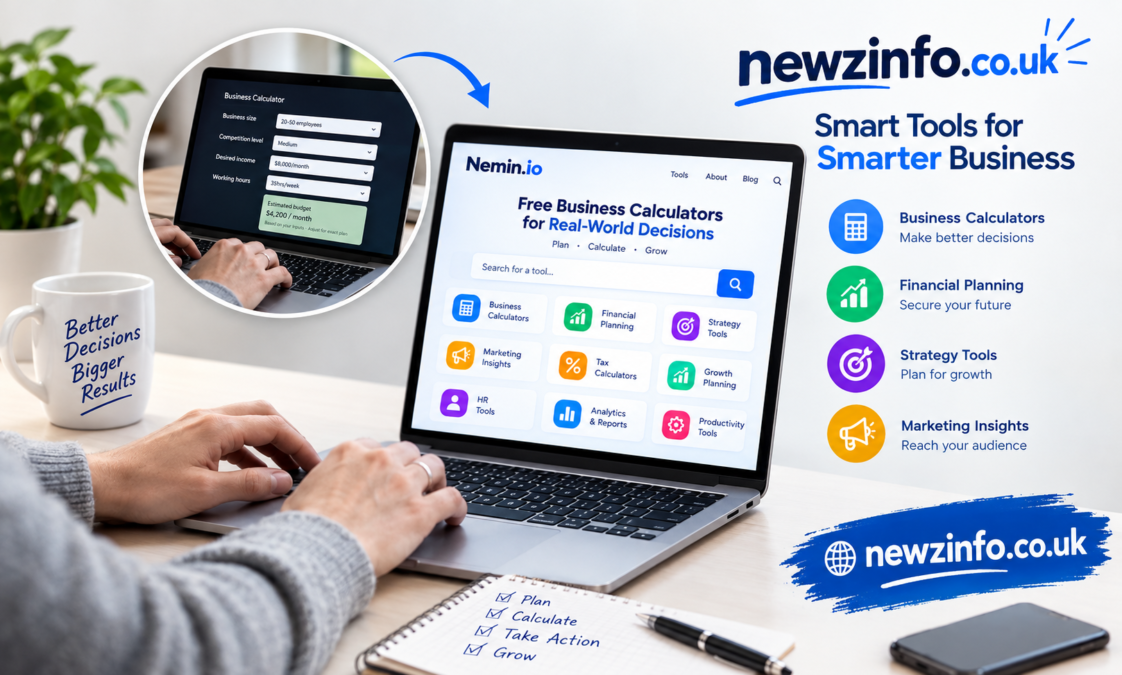
The most interesting part of Nemin.io is its collection of calculators. The official tools directory currently lists calculators covering several everyday business and marketing questions.
Some of the listed tools include:
- Website Cost Calculator — estimates the potential cost of building a business website.
- SEO Cost Calculator — helps users think about a realistic monthly SEO budget.
- Google Ads Budget Calculator — assists with planning advertising expenditure.
- ROI Calculator — measures return on investment for projects and campaigns.
- Profit Margin Calculator — calculates margins using cost and selling-price information.
- Break-Even Calculator — estimates the sales level needed to cover costs.
- Freelancer Hourly Rate Calculator — helps freelancers consider sustainable hourly pricing.
- Agency Retainer Calculator — assists agencies with recurring-service pricing.
- Social Media Pricing Calculator — helps estimate social media management fees.
- Email Campaign ROI Calculator — provides a way to evaluate email marketing returns.
- Word Counter — counts words, characters, sentences, paragraphs, and reading time.
Together, these tools show that the platform is focused on practical decisions rather than complicated enterprise software.
Public Reaction and Why People Are Interested in Nemin.io
The interest surrounding Nemin.io appears to be connected mainly to its practical concept: putting several business calculators in one place. Instead of searching for separate formulas or building a spreadsheet from scratch, users can select a relevant calculator and enter their figures.
The official site emphasizes simplicity, free access, and immediate browser-based use. That positioning can be particularly useful for freelancers and small businesses that need a quick estimate before making a pricing or budgeting decision.
However, users should understand the limits of these calculations. Nemin.io’s Terms and Conditions state that its calculators and content are intended for general informational and planning purposes, and that actual costs, revenues, margins, and ROI can vary according to individual circumstances and market conditions.
The Human Side: Why Simple Business Tools Matter
The most relatable aspect of Nemin.io is not a founder biography or dramatic origin story. It is the everyday problem the platform attempts to solve.
A freelancer may wonder what hourly rate is sustainable. A small business owner may need to estimate a website budget. A marketer may want to understand whether an advertising campaign could produce a worthwhile return. These decisions can become stressful when the underlying numbers are unclear.
Nemin.io attempts to turn those questions into structured calculations. The result is not necessarily a final business decision, but rather a starting point for thinking through the numbers.
That practical approach is also why the site’s own guidance recommends treating results as estimates rather than professional financial, legal, or business advice.
Why Are People Searching for Nemin.io?
People may search for Nemin.io because they want to understand what the website offers before using one of its calculators. Others may encounter a specific tool and want to know whether the platform is free, whether registration is necessary, or what types of calculations are available.
The official website states that its tools are free to use and designed for users such as freelancers, agencies, startups, marketers, consultants, and small business owners.
Privacy can also be an important consideration. Nemin.io publishes a Privacy Policy explaining that information may include details voluntarily submitted through contact forms as well as general usage information such as browser, device, pages visited, and interaction data.
For anyone making a significant financial or business decision, the sensible approach is to use an online calculator as one input rather than treating an automated estimate as a guaranteed outcome.
FAQs
What is Nemin.io?
Nemin.io is a website offering free online business, marketing, pricing, budgeting, and planning calculators. It is designed to provide quick estimates through a browser without requiring complicated spreadsheet formulas.
Is Nemin.io free to use?
Yes. Nemin.io states that its listed tools are free to use. Its public tools directory also says users can access the calculators without creating an account.
Who can use Nemin.io?
The platform is primarily aimed at freelancers, agencies, startups, marketers, consultants, and small business owners. Its tools cover common questions involving pricing, profitability, advertising, SEO, ROI, and budgeting.
Does Nemin.io provide exact financial advice?
No. Nemin.io’s Terms explain that its calculators are intended for general informational and planning purposes. Real-world costs and results can differ depending on individual circumstances, market conditions, and other factors.
What is the Word Counter on Nemin.io?
The Word Counter is a free writing tool that can measure words, characters, sentences, paragraphs, and reading time. The site says it can be useful for writers, bloggers, marketers, students, editors, agencies, and businesses.
Final Thoughts
Nemin.io represents a straightforward idea: make everyday business calculations easier to access. Rather than positioning itself as a replacement for accountants, financial advisers, or comprehensive business software, the platform focuses on quick estimates that can help users begin planning.
There is limited public information about the people or personal story behind the website, so it is better to avoid unsupported claims about its founders, family, ownership, or financial success. What is clearly documented is the platform’s purpose and its growing collection of free business and marketing tools.
For someone who simply needs a quick number before making a business decision, Nemin.io can serve as a convenient starting point. The important part is to treat the results as estimates, check important assumptions, and use additional research or professional advice when a decision carries significant financial consequences.
Must Read: Itzhak Ezratti Wife: What We Know About Anna Ezratti and Their Family

Google Search history can contain a detailed record of the things you have searched for over time. If you want more control over this information, Google lets you clear Google Search history by deleting individual searches, selected periods, or all available activity.
What Is Google Search History?
Google Search history is information about searches saved to your Google Account when the relevant activity settings are enabled. You can review this information through Google’s activity controls and remove searches you no longer want associated with your account.
Google also offers controls for managing Search-related activity. Depending on your account, you may see Search Services History or Web & App Activity, as Google continues updating its activity settings.
Where Can You Find It?
The easiest place to review account activity is Google My Activity. After signing in, you can browse saved activity and use available filters to find searches by date, product, or keyword.
If you have years of activity, filtering is much easier than scrolling through everything. Google’s My Activity service provides a central location for reviewing and managing activity associated with your Google Account.
How to Clear Google Search History
To clear Google Search history, open your Google Account activity settings and look for your Search history. You can then choose whether to remove one search, activity from a particular period, or all available searches.
The exact buttons and wording can vary between devices and Google interfaces. Before deleting anything, make sure you are signed into the Google Account whose history you want to manage.
Delete One Search
You don’t have to delete everything if you only want to remove a particular search. Find the unwanted search in your activity and use the available delete option.
This is useful when most of your history is still helpful but you have a few searches you would rather remove. Individual deletion gives you more control than clearing your entire history.
Delete Searches From a Specific Period
Google also allows you to remove activity from a selected period. Depending on the interface, you can choose options such as a particular day, custom date range, or another available time period.
This can be useful if you want to remove searches from a particular week or month while keeping older and newer activity. It provides a middle ground between deleting one item and deleting everything.
Delete All Google Search History
If you want to start fresh, Google provides an option to delete available Search history for all time. Open your Search history or activity controls, choose the delete option, select the applicable all-time setting, and confirm the action.
Think carefully before using this option. Once saved Search history has been deleted, you generally cannot recover it through Google’s normal Search history controls.
Clear Search History on Android
On Android, you can manage Search history through the Google app or your Google Account. Open the Google app, select your profile picture, and look for Search history or the relevant activity controls.
From there, Google provides options for managing saved searches. You may be able to delete individual searches, selected activity, or all available history, depending on the settings currently available to your account.

Clear Search History on iPhone
iPhone and iPad users can also manage Google Search history through the Google app. Open the app, select your profile picture or initial, and choose the Search history option when available.
You can then review your saved activity and select the appropriate deletion option. Remember that Google Account activity and information stored locally by an app or browser can be separate.
Clear Chrome History Too
Deleting Google Search history does not necessarily delete Chrome browsing history. These are different types of records. Google Account activity can contain your searches, while Chrome maintains a history of websites and pages visited through the browser.
If you want to clear both, open Chrome’s browsing-data settings and select the history you want to remove. This distinction is important when your goal is to clean up both search activity and visited websites.
Turn Off Search History
Deleting old searches and stopping future searches from being saved are two different actions. Google provides activity controls that allow users to manage whether certain Search-related activity is saved.
Depending on your account, you may find these controls under Search Services History or Web & App Activity. Review the available choices carefully because turning a setting off does not always mean previously saved activity is automatically removed.
Use Automatic Deletion
If you don’t want to manually clear your history regularly, Google provides automatic deletion options for supported activity. Current Google documentation lists periods including 3 months, 18 months, and 36 months.
Automatic deletion can be useful if you want to keep relatively recent activity while allowing older information to be removed automatically. You can still manually delete individual searches when necessary.
Does Clearing History Delete Everything?
No. Clearing Google Search history should not be confused with deleting every record of your online activity. Google Account activity, Chrome browsing history, and some app-level history can be managed separately.
Google also provides separate controls for different services. Therefore, if you are reviewing your privacy settings, check the activity categories available in your account rather than assuming one deletion action covers everything.
Search History and Incognito
Incognito mode is different from deleting existing Google Search history. Google explains that searches made while using Incognito are not saved to your Google Account’s Search history in the usual way.
However, Incognito does not erase searches that were already saved before the private session. It also should not be treated as complete online anonymity. Its main purpose is to limit certain locally stored browsing information and account activity.
Why Clear Google Search History?
People clear their searches for several practical reasons. Old searches can reveal personal interests, plans, questions, shopping research, travel searches, and other information that someone may prefer not to keep in their account.
Clearing unnecessary activity can also be useful on shared devices. Google says saved activity can contribute to personalized experiences, so managing or deleting old activity gives users greater control over the information used for those experiences.
What Happens After Deletion?
When you delete activity, Google begins a process to remove it from the relevant services and systems. Deleted activity is removed from your normal account view and is no longer used for personalization in the same way.
Google notes that some information may be retained for limited reasons, such as legal, security, or business requirements. Therefore, deleting history should not be understood as an instant removal of every possible related record from every system.
Common Problems
If a search still appears after you clear Google Search history, check where you are seeing it. It may be stored in Chrome, the Google app, or another local history rather than your Google Account.
Another possibility is that you are using a different Google Account. Confirm that you are signed into the correct account before deleting or reviewing activity.
FAQs
Can I delete my entire Google Search history?
Yes. Google provides options to delete available Search history, including an All time option in supported interfaces.
Can I delete just one Google search?
Yes. Individual searches can be removed without deleting your entire history.
Does clearing Google Search history delete Chrome history?
No. Google Search history and Chrome browsing history are separate. You may need to clear Chrome history separately.
Can Google Search history delete automatically?
Yes. Google provides automatic deletion options for supported activity, including 3-, 18-, and 36-month periods.
How do I stop Google from saving searches?
Review your Search Services History or Web & App Activity settings and choose the available option for managing future activity.
Is Incognito the same as deleting history?
No. Incognito affects how activity is handled during a private browsing session. It does not erase previously saved Google Search history.
Final Thoughts
Learning how to clear Google Search history is a straightforward way to manage the activity connected to your Google Account. You can remove individual searches, clear a selected period, delete all available history, or use automatic deletion.
The most important distinction is between Google Search history and browser history. If you want a more complete cleanup, review both your Google Account activity and your browser’s stored history.
Must Read: Who Is Ayo Edebiri? Her Life, Career, Family, and More

Jade Cargill: The Inspiring Rise of a Wrestling Powerhouse Who Redefined Strength

Howard Schultz and George Soros: The Surprising Truth Behind the Rumors

Jaime Pressly: The Emmy-Winning Star Whose Journey From Small-Town Dreams to Hollywood Heart Will Inspire You

Zingyzon.com in USA: Your Practical Guide to Smarter Home Living

Tanner Wiseman Net Worth 2026: Age, Career, Family and Biography

Nancy Guthrie Update: Suspect Search and Ongoing Investigation into the Disappearance of Savannah Guthrie’s Mother
 Technology4 months ago
Zingyzon.com in USA: Your Practical Guide to Smarter Home Living
- Celebrity4 months ago
Tanner Wiseman Net Worth 2026: Age, Career, Family and Biography
- Celebrity4 months ago
Nancy Guthrie Update: Suspect Search and Ongoing Investigation into the Disappearance of Savannah Guthrie’s Mother
- Technology5 months ago
Exploring Glaadvoice.com: An Independent Voice in Digital Media
- Fashion5 months ago
Home Decor Ideas TheHomeTrotters: Timeless Inspiration for Creating a Home You Love
- Technology4 months ago
Yonosamachar Com: Exploring the Rise of a Digital News Platform in the Modern Information Age
- Celebrity5 months ago
Jesse Belle Deutschendorf: The Private Artistic Life of John Denver’s Daughter
- Fashion4 months ago
Gelato Pique: The Japanese Brand Turning Loungewear into Wearable Dessert